

Teenva AI & Digital Ventures delivers CI/CD pipeline services from Bangalore, India so your team ships code with automated build, test, and deploy—not manual FTP uploads and crossed fingers. We implement GitHub Actions, GitLab CI, and Jenkins pipelines for Laravel, Next.js, travel portals, and API backends on AWS.
Every production bug fixed locally but never deployed is a process failure. CI/CD gives you repeatable releases, staging gates, rollback paths, and audit trails—paired with DevOps monitoring and managed IT support when pipelines or apps need care.
Get support for your existing website
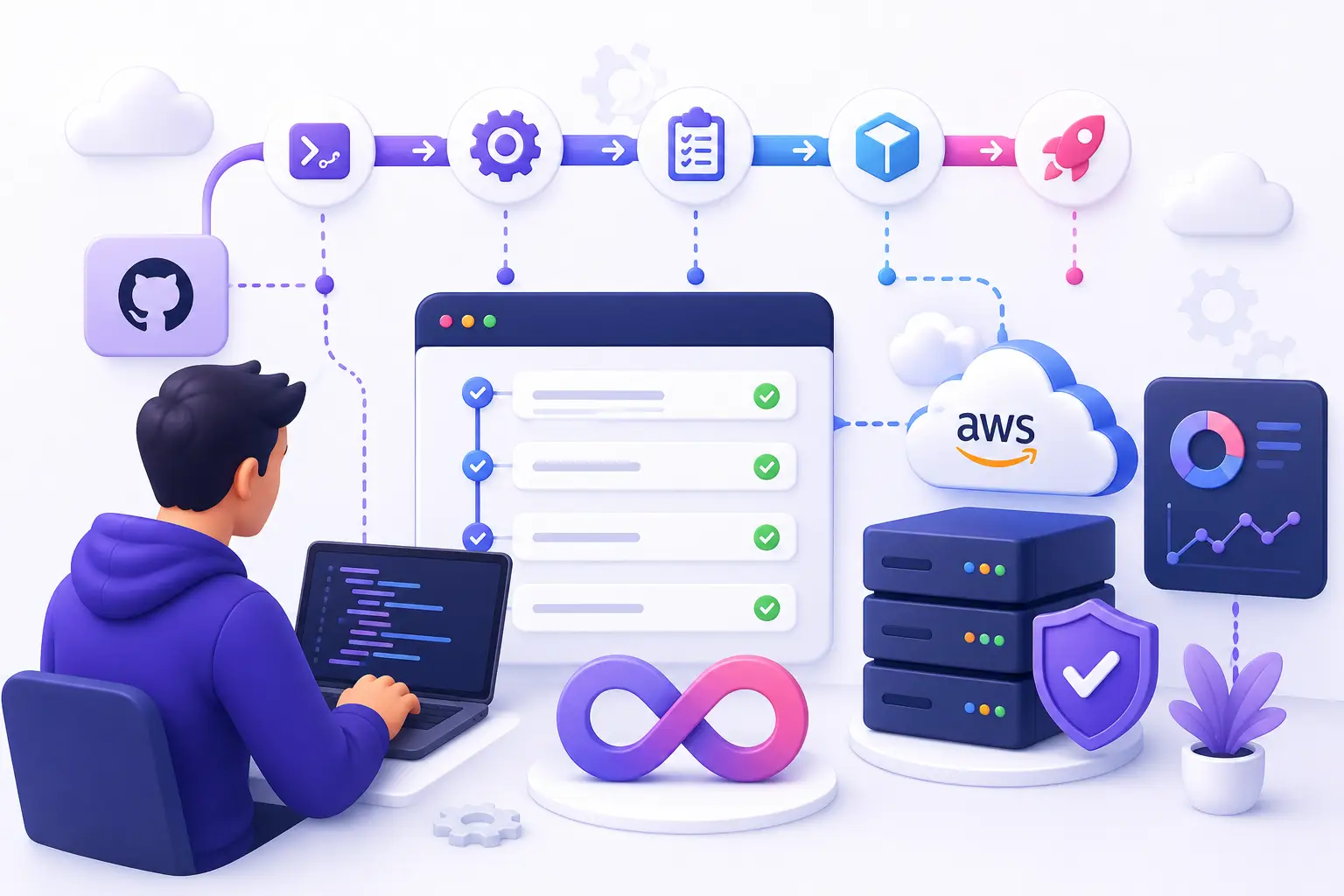
GitHub Actions, GitLab CI, Jenkins—automated deploys for web apps, APIs, and travel platforms.
Hub: Managed IT services
CI/CD platforms we implement
| Platform | Best for |
|---|---|
| GitHub Actions | Teams on GitHub; rich marketplace; Laravel / Node monorepos |
| GitLab CI | Self-hosted or GitLab.com; integrated registry |
| Jenkins | Existing Jenkins investment; complex legacy pipelines |
| Bitbucket Pipelines | Atlassian stack clients (scoped) |
We recommend based on your git host, compliance needs, and team skills—not religion.
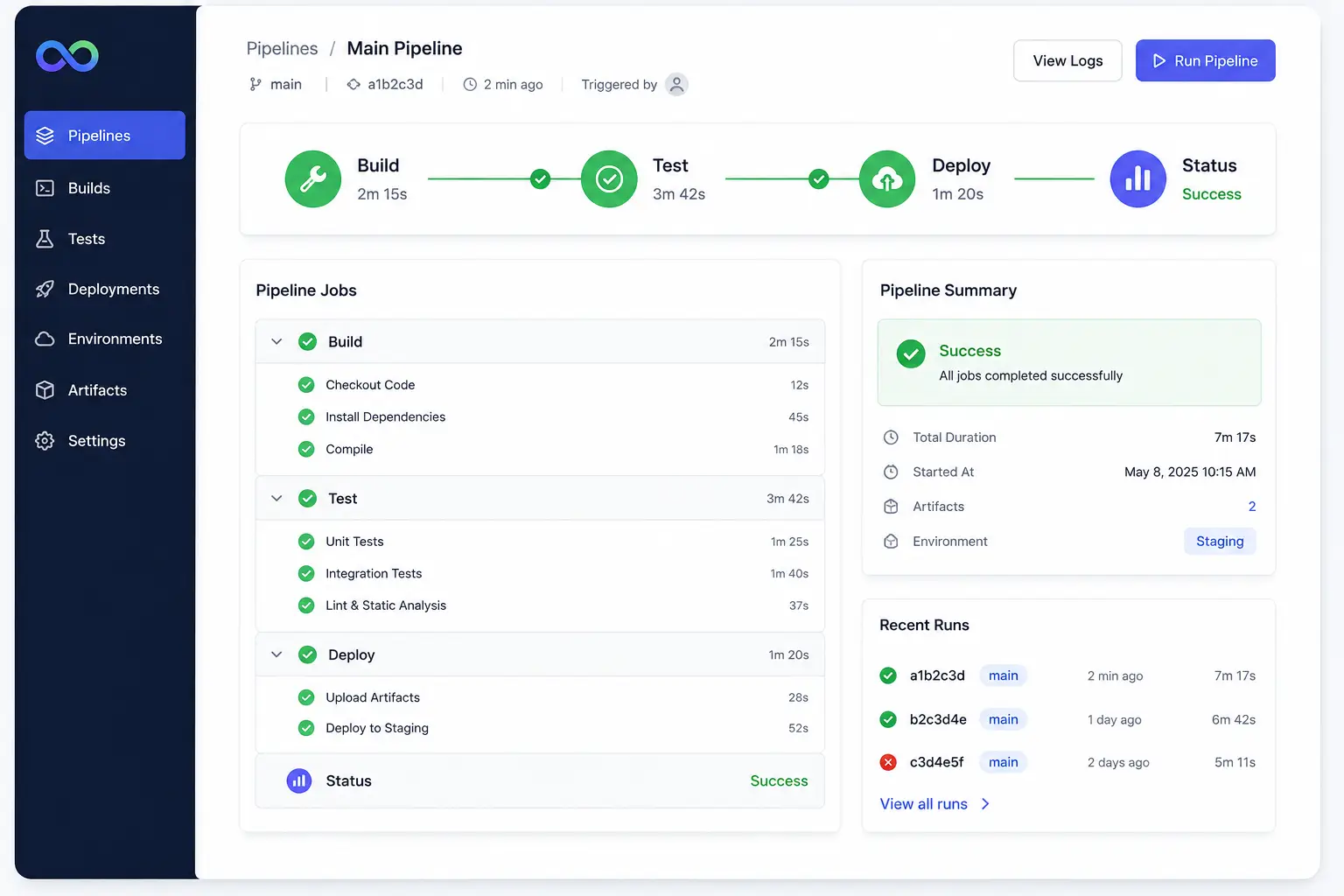
What a Teenva CI/CD pipeline includes
| Stage | Typical steps |
|---|---|
| Trigger | Push to main, PR merge, tag release, manual approval gate |
| Build | composer install, npm ci, Docker image build |
| Test | PHPUnit, Pest, Jest, lint, static analysis (scoped) |
| Security | Dependency audit, secret scan in CI |
| Artifact | Build cache, Docker push to ECR, zip to S3 |
| Deploy staging | Auto on develop branch |
| Deploy production | Approval + maintenance window option |
| Post-deploy | migrate --force, queue restart, cache clear, smoke HTTP check |
| Notify | Slack/email on success/failure |
CI/CD patterns by stack
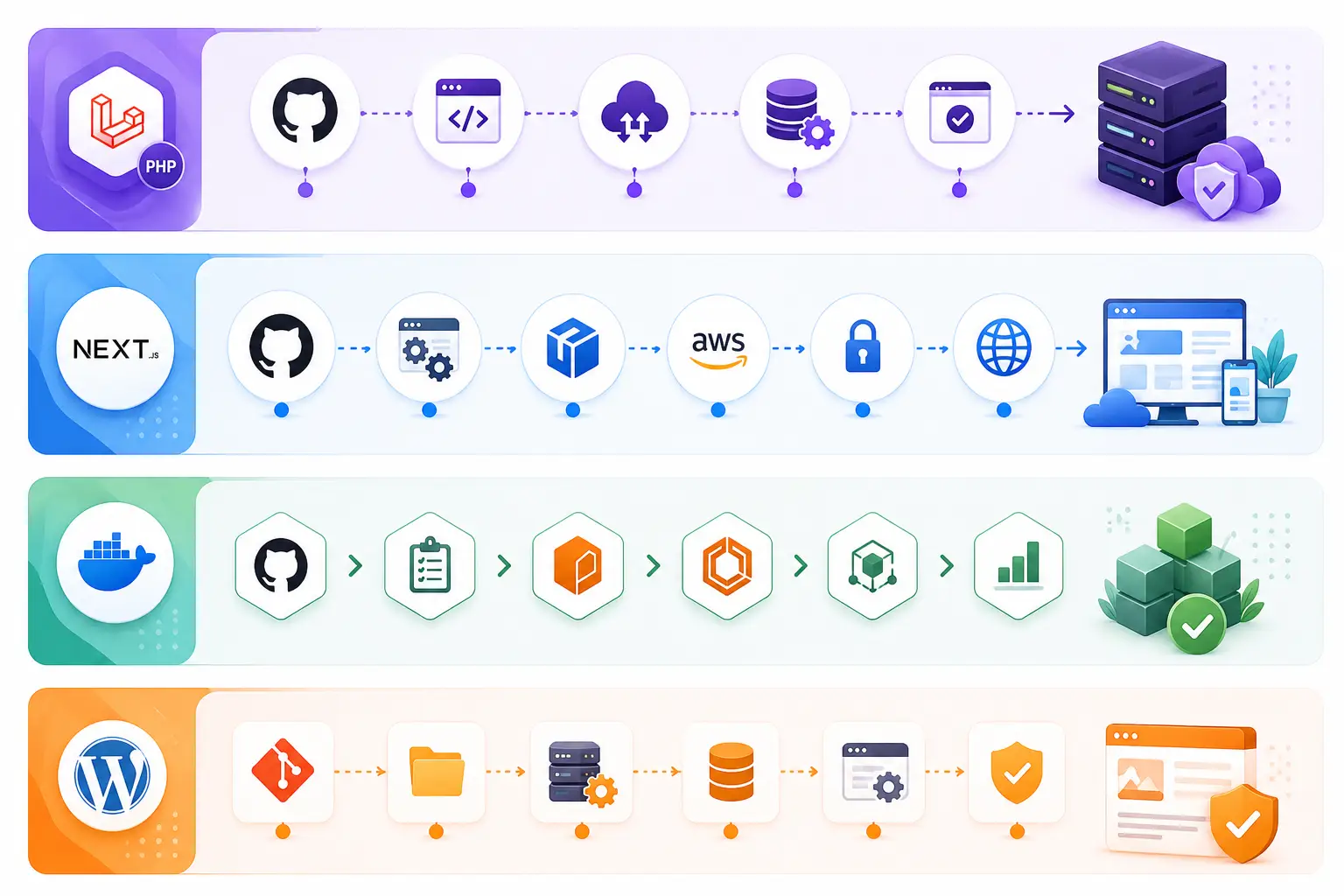
Laravel / PHP on EC2
- 1.GitHub Actions runs tests on PR
- 2.On merge to main, build assets (npm run build)
- 3.SSH or SSM deploy to AWS EC2 / CodeDeploy
- 4.Run migrations, php artisan config:cache, Horizon reload
- 5.Health check URL before marking deploy complete
Common for travel portals and ecommerce backends.
Next.js / React
- Build on CI; deploy to EC2, ECS, or static S3 + CloudFront
- Env vars per environment in secrets store
- ISR/SSR apps need Node process restart strategy
See Next.js development.
Docker / ECS
- CI builds image → push ECR → ECS service rolling update
- Task definition versioned in git
WordPress (scoped)
- Theme/plugin deploy via rsync or Git pull; DB migrations manual/separate
- Often simpler pipeline—still beats manual cPanel edits
Environments & promotion strategy
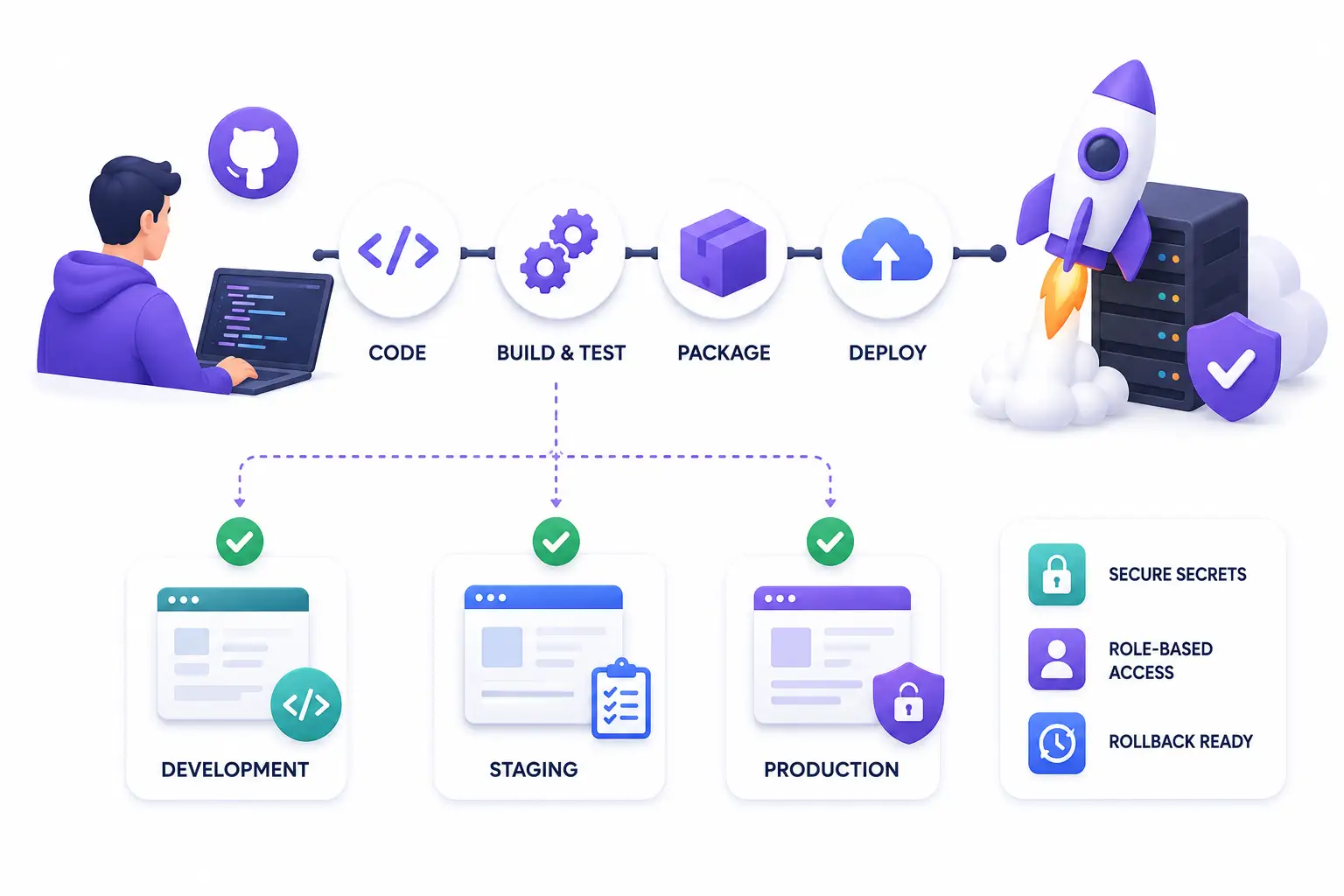
| Environment | Purpose |
|---|---|
| Development | Local or shared dev; optional auto-deploy from feature branches |
| Staging | Parity with prod; QA and integration tests |
| Production | Protected branch; manual approval or tag-only |
Secrets never in repository—GitHub/GitLab encrypted secrets, AWS SSM, or vault. Separate AWS IAM roles per environment.
Deploying during travel peak season? We add approval gates, canary checks, and fast rollback—so a bad release does not take down bookings.
Rollback & safety
| Mechanism | When |
|---|---|
| Redeploy previous artifact | Fast rollback to last known good build |
| Git revert + pipeline | Fix forward with audit trail |
| DB migration discipline | Reversible migrations where possible; backup before prod migrate |
| Feature flags | Decouple deploy from release (scoped) |
| Maintenance mode | Laravel down during risky migrations |
We document who clicks rollback and how long it takes.
Who needs CI/CD
| Situation | Without CI/CD | With CI/CD |
|---|---|---|
| Manual FTP deploys | Drift, wrong files, no audit | Same artifact every time |
| “Works on my machine” | Prod surprises | Tests gate merge |
| Multiple developers | Overwrite conflicts | Branch → PR → merge |
| Payment webhooks | Scary deploys | Staging validation first |
| Agency handover | Nobody knows deploy steps | Pipeline YAML is documentation |
Why Teenva AI for CI/CD
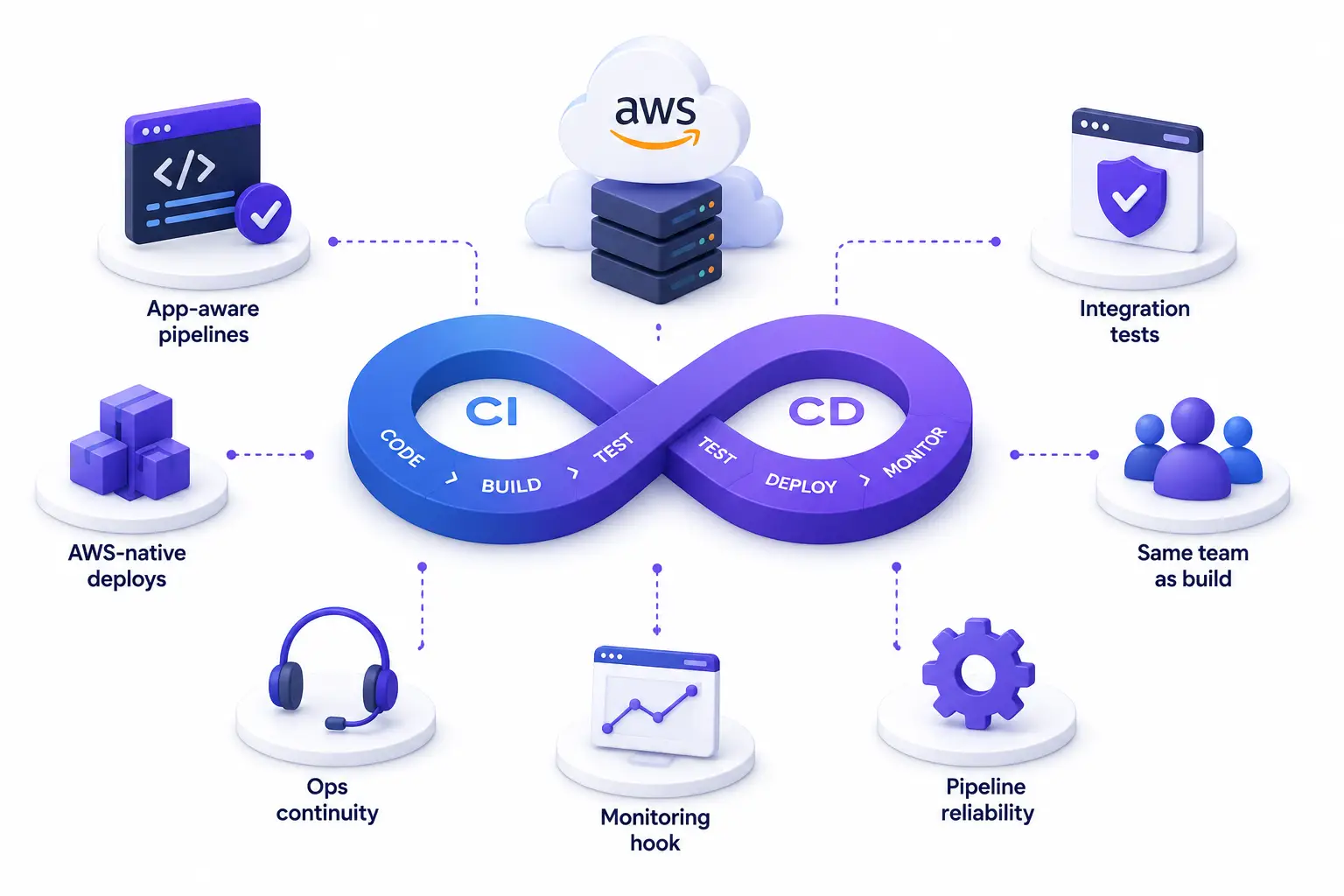
App-aware pipelines
We know your booking flow needs queue:restart, not only git pullAWS-native deploys
EC2, CodeDeploy, ECS, S3—see AWS cloud servicesIntegration tests
Optional smoke tests against Razorpay sandbox / staging APIsSame team as build
Web and software development repos we already understandOps continuity
Pipeline breaks? Managed IT support fixes itMonitoring hook
Deploy markers in DevOps monitoring for correlation
Our CI/CD implementation process
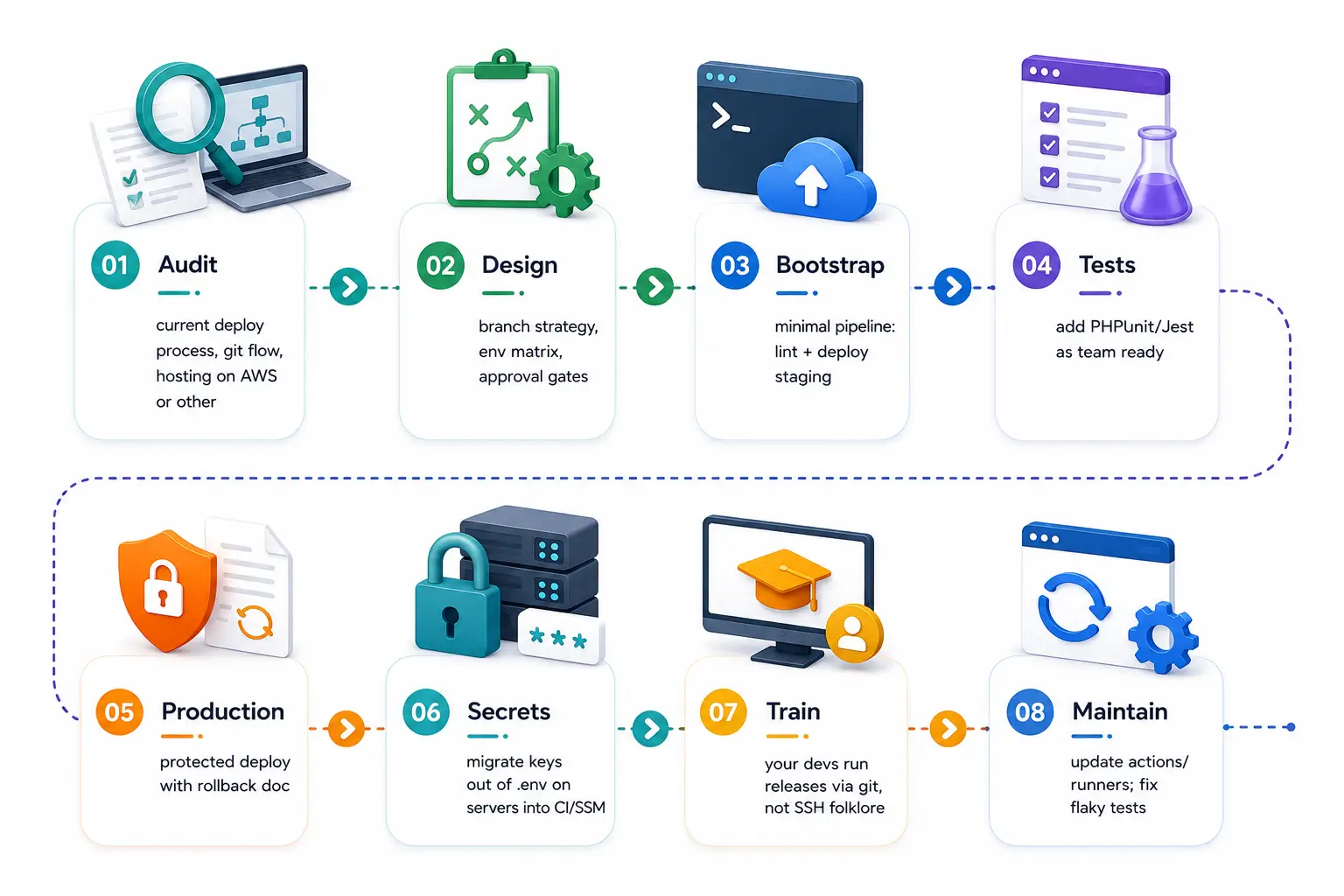
Audit
current deploy process, git flow, hosting on AWS or other
Design
branch strategy, env matrix, approval gates
Bootstrap
minimal pipeline: lint + deploy staging
Tests
add PHPUnit/Jest as team ready
Production
protected deploy with rollback doc
Secrets
migrate keys out of .env on servers into CI/SSM
Train
your devs run releases via git, not SSH folklore
Maintain
update actions/runners; fix flaky tests
CI/CD + database migrations
Risky area for travel and ecommerce:
- Run migrations in pipeline after code deploy or before—documented per app
- Backup RDS snapshot before major migration (manual or scripted)
- Avoid long table locks during peak—schedule or use online schema tools (scoped)
- Seeders never auto-run in production
Risky area for travel and ecommerce.
Travel portal deploy considerations
- Peak blackout windows — no prod deploys without approval near holidays
- GDS/cert environments — separate credentials in CI secrets
- Webhook URLs — staging endpoints for API integration tests
- Smoke tests — search + hold (no ticket) path after deploy
Explore
Frequently
Asked Questions
Straight answers about our services, how we work, and how to get started with Teenva.
Custom software, AI solutions, and travel technology — built for teams that need more than templates.
GitHub Actions for most greenfield GitHub repos; Jenkins if you already invested or need on-prem runners.
Both—we scope staging-only CI first if you prefer phased delivery.
Yes—CI is portable; CD targets vary (SSH, FTP discouraged, Docker anywhere).
Simple Laravel EC2 deploy: 1–2 weeks. Multi-service ECS + full tests: longer.
Encrypted secrets + OIDC to AWS (no long-lived AWS keys in CI) when possible.
Rolling or blue/green on ALB/ECS—scoped to architecture; PHP often brief opcache reload.
Managed IT support retainer or ad-hoc.
Not always—many Laravel apps deploy without containers.
Separate jobs or matrix build—common for Next.js + Laravel.
We stabilize tests, cache dependencies, and parallelize jobs.
Related services
Automate your deployments
From git push to production on AWS—with tests, migrations, secrets, and rollback documented.
Get support for your existing website
Ready to take your business to the next level?